
Sportzfy for Android Smart TV, Complete Installation and Usage Guide
Watching sports on a mobile phone can sometimes feel limiting, especially during important matches. Many fans prefer a bigger screen and better viewing experience while watching live sports.
Sportzfy TV makes this possible by allowing users to stream sports content on Android Smart TVs. Although the app is mainly designed for Android devices, it can easily be installed on Android TV through a simple sideloading process.This guide explains how to install and use Sportzfy on Android Smart TV step by step.
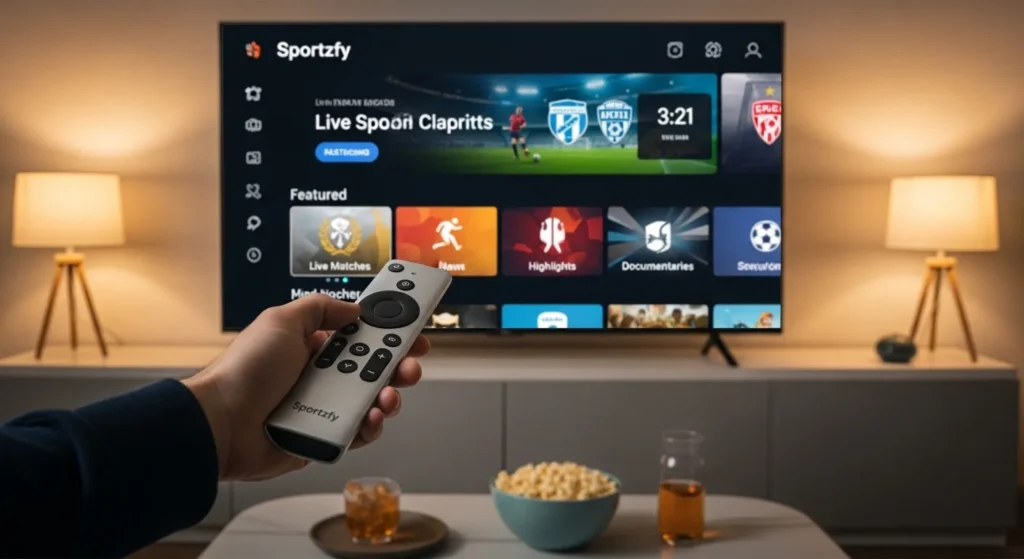
What is Sportzfy TV?
Sportzfy TV is a sports streaming application that allows users to watch live sports channels and major tournaments.
The app usually provides streams for:
Because it supports Android-based devices, many users install it on Android Smart TVs to watch sports on a larger screen.
Why Use Sportzfy on Android Smart TV?
Installing Sportzfy on a smart TV offers several advantages compared to watching on a smartphone.
Larger Screen Experience
Watching sports on a TV provides a more immersive viewing experience, especially during live matches.
Better Audio and Video
Smart TVs usually support higher resolution and stronger speakers, improving overall quality.
Comfortable Viewing
Users can relax on the couch and watch matches comfortably without holding a phone.
Easy Navigation
The app can be controlled using the TV remote, making it simple to switch between channels.
Method 1: Install Sportzfy on Android TV Using Downloader
This is the most common method for installing Sportzfy on Android Smart TV.
Step 1: Enable Unknown Sources
First, allow your TV to install apps from external sources.
- Open Settings on your Android TV
- Go to Security & Restrictions
- Select Install Unknown Apps
- Enable it for the browser or Downloader app
Step 2: Install the Downloader App
The Downloader app allows you to download APK files directly to your TV.
Step 3: Download the Sportzfy APK
Wait for the APK file to finish downloading.
Step 4: Install the APK File
Once the download is complete:
- Select the downloaded APK file
- Click Install
- Wait for the installation to finish
After installation, Sportzfy will appear in your app list.
Method 2: Install Sportzfy Using Send Files to TV
Another easy method is transferring the APK from your smartphone.
Step 1: Install the App on Both Devices
Download Send Files to TV from the Play Store on:
- Your Android phone
- Your Android TV
Step 2: Download the Sportzfy APK on Your Phone
Download the latest Sportzfy APK file on your smartphone.
Step 3: Transfer the File
- Open Send Files to TV on both devices
- Select Send on your phone
- Select Receive on the TV
- Transfer the APK file
Step 4: Install the APK on TV
After transferring the file:
The app will then be installed on your Android TV.
How to Use Sportzfy on Android TV
Once the installation is complete, you can start watching sports.
Open the App
Launch Sportzfy from the TV app library.
Navigate the Interface
Use your TV remote control to browse:
Start Streaming
Select the sports channel or match you want to watch and start streaming instantly.
Tips for Smooth Streaming
To enjoy the best viewing experience, follow these tips.
Use a Stable Internet Connection
A connection speed of at least 5–7 Mbps is recommended for HD streaming.
Use Ethernet or 5 GHz WiFi
These connections reduce buffering during live matches.
Update the App Regularly
Using the latest version ensures better performance and fewer bugs.
Common Issues and Fixes
Sportzfy Not Installing
Make sure Unknown Sources is enabled in TV settings.
App Not Showing on Home Screen
Check the Apps section in your TV settings.
Buffering During Streaming
Switch to another server or reduce video quality.
Important Disclaimer
Sportzfy is a third-party streaming application and may provide content from various external sources. Availability of streams may depend on regional restrictions and broadcasting rights. Users should always follow applicable laws and regulations when using streaming services.
Conclusion
Sportzfy TV provides a convenient way to watch live sports on Android Smart TVs. By installing the app using tools like Downloader or Send Files to TV, users can easily enjoy their favorite matches on a bigger screen.
With its simple interface and wide range of sports channels, Sportzfy remains a popular option for sports fans who want quick access to live matches on their TV.